
One-way · Anonymous · Yours
ignotu
FAQ
Direct answers
What the app does. What we keep. What we cannot undo.
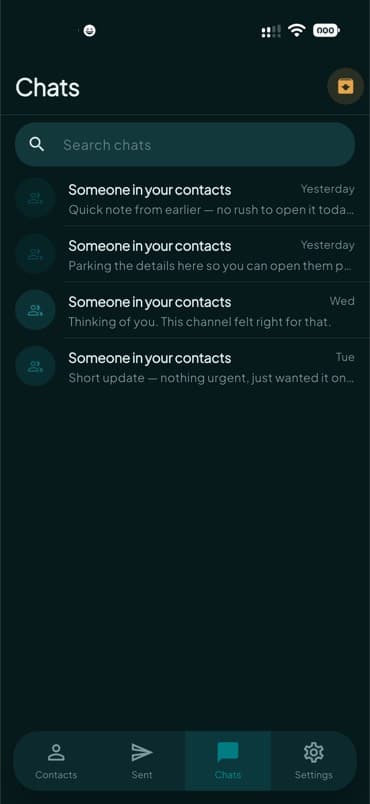
- What is ignotu?
- ignotu is an app for one-way messages. You send text or media. They read it. They cannot reply in the app. They see someone in their contacts, or anonymous, based on a private match.
- Can they reply?
- No. There is no thread and no back channel. If you need a conversation, use something else.
- How does the label work?
- If your verified phone or email matches a hash in their synced contacts, they see “Someone in your contacts.” If not, “Anonymous.” The app does not show your name or number in the message UI.
- Do you store message bodies?
- Only as ciphertext, and only while waiting for delivery. After delivery or the hold window, that ciphertext is deleted. Receipt times may remain without the body.
- How is it encrypted?
- Each device makes its own key pair. Senders encrypt to the recipient’s public keys before upload. Private keys stay on the device.
- How do I sign in?
- A one-time code to email. SMS appears only where we can send it. After the first sign-in you can add a passkey on your phone so later visits use Face ID, Touch ID, or your lock screen instead of a new code. There is no everyday password.
- How do contacts work?
- You can sync your address book so the app can tell who already uses ignotu. Matching uses hashes. You choose when to sync.
- What does block do?
- It stops that sender. Other people, including other anonymous senders, are unaffected.
- Where does it run?
- ignotu is an iOS, iPadOS, Android, and Mac app. This site is for download, help, and policy. There is no web inbox.
- How do I get help?
- Read the guides, the FAQ, or use the contact form. In the app, Settings → Feedback sends a one-way message to @ignotu. For safety issues, include what you still have on the device. We cannot recover a body from the server after delivery.